Tag: document storage

  • What Nobody Tells You About Setting Up a Document Storage System

    What Nobody Tells You About Setting Up a Document Storage System

    What Nobody Tells You About Setting Up a Document Storage System

    Businesses of all sizes need document storage more than ever as paperwork volumes keep growing. Our experience shows how expanding operations make document preservation a significant task that organizations find challenging.

    Document storage services have become popular with businesses because of their many advantages. These systems boost security and organization, and users can quickly find information through keyword searches and well-laid-out directory systems. A properly implemented storage system for archived documents acts as a single source of truth and dramatically improves document management.

    But creating an effective document storage system needs more than just filing papers or saving digital copies. We’ll explore everything in building a document storage system that handles both physical needs—proper temperature, humidity controls, and security measures—and digital requirements to retrieve files quickly, maintain compliance, and prevent unauthorized access.

    Understanding the Core Purpose of Document Storage

    A reliable document management system does more than just store files—it serves several vital purposes for organizations of all sizes. Good document storage creates order from chaos and turns information into a valuable business asset.

    Why businesses need structured storage

    Today’s businesses handle massive amounts of information, making organized document management essential. Companies without proper systems face major operational challenges that hurt their profits.

    Financial protection and compliance are pioneering reasons for document storage needs. Companies must follow both industry-specific and general legal requirements for keeping documents. A detailed document storage plan helps businesses stay compliant with these rules and avoid fines and legal issues. To name just one example, GDPR violations can lead to fines of up to €20 million or 4% of a business’s worldwide annual turnover, whichever is higher.

    Cost reduction makes a compelling case for structured document storage. Poor document handling creates hidden expenses. Staff members spend roughly 18 minutes looking for a single document. One study shows misfiling costs companies around VND 3,049,780 per document. Lost documents can cost up to VND 5,591,263 per sheet to recreate.

    Space optimization matters more as companies expand. Office space comes at a premium for most organizations. Physical documents take up about 15% of total office space. Office space in major American cities costs between VND 584,541 and VND 1,906,112 per square foot monthly. This makes document storage a major expense that proper management can reduce.

    Enhanced security plays a crucial role in today’s threat landscape. Cyberattacks happen every 39 seconds, with financial losses reaching VND 20,026,888,921 per hour. Modern document storage systems use access controls, encryption, and audit trails to protect sensitive information.

    Improved productivity comes naturally with structured storage. Office workers spend up to 4.5 hours weekly searching for documents. On top of that, 47% of digital workers struggle to find needed documents, while 36% miss important information due to data overload. Centralized document organization dramatically cuts this wasted time.

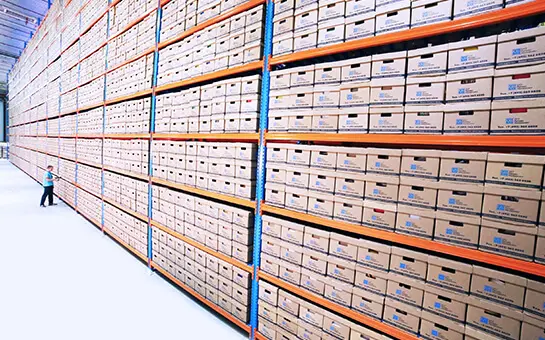
    Lưu trữ hồ sơ tài liệu an toàn - MyStorage

    Archived documents: what needs to be preserved

    Documents need different levels of preservation. Knowing which archived documents to keep and for how long forms the basis of effective document management.

    Business-critical documents that need long-term preservation include:

    • Financial records (minimum 7 years)
    • Tax documents (3-7 years)
    • Entity documents (permanently)
    • Insurance policies (for the duration of coverage)
    • Employment tax records (4 years)
    • Operational records (at least 7 years)

    Sensitive information that needs secure preservation includes customer data, employee records, intellectual property, contracts, and marketing and promotional materials. These categories need more than storage—they require proper classification, access controls, and secure disposal.

    Experts suggest your document retention policy should clearly define what counts as a “business record.” Some U.S. states follow the Uniform Preservation of Private Business Records Act, which recommends keeping records for at least three years when specific retention periods don’t apply.

    Document preservation doesn’t mean keeping everything forever. Good document storage identifies what you can safely destroy when it’s no longer needed. State and federal laws require companies to dispose of personal information once it has served its purpose.

    Vietnamese businesses must consider both physical and digital storage methods for document archive management. This process covers collection, classification, retention period setting, storage, usage tracking, monitoring, and disposing of unnecessary documents.

    A clear understanding of preservation needs and timeframes creates the foundation for effective document storage. Businesses that lack this clarity risk legal problems from keeping too little or face unnecessary costs and security risks from keeping too much.
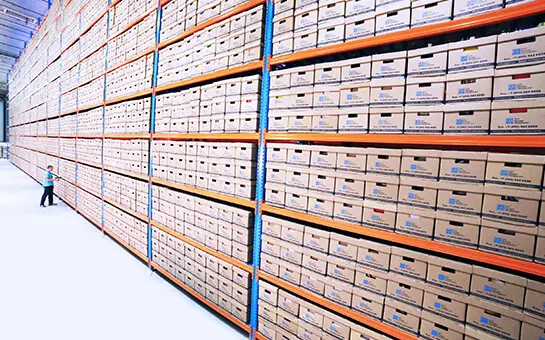
    Lưu trữ hồ sơ tài liệu an toàn - MyStorage

    Designing a Storage System That Actually Works

    You need careful planning and smart decisions to build a good document storage system. The right setup will save you time and money while keeping your documents safe and easy to find throughout their lifecycle.

    Choosing between on-site and cloud storage

    Your first big choice in document storage is where to keep your archived documents. This choice will affect everything from your costs to how easily you can access your files.

    On-premises storage means keeping documents in your organization’s building or servers. You get full control over your data and security this way. Your team can access files offline without needing internet access. This setup might even lower your internet costs since you won’t need super-fast connections just to reach your files.

    However, on-site systems need a big investment upfront in hardware, software, and infrastructure. As your storage needs grow, you’ll have to add new hardware, increase memory, and boost computing power. This takes money, work, expertise, and time. Your IT team also has to maintain everything, handle updates, and watch over security.
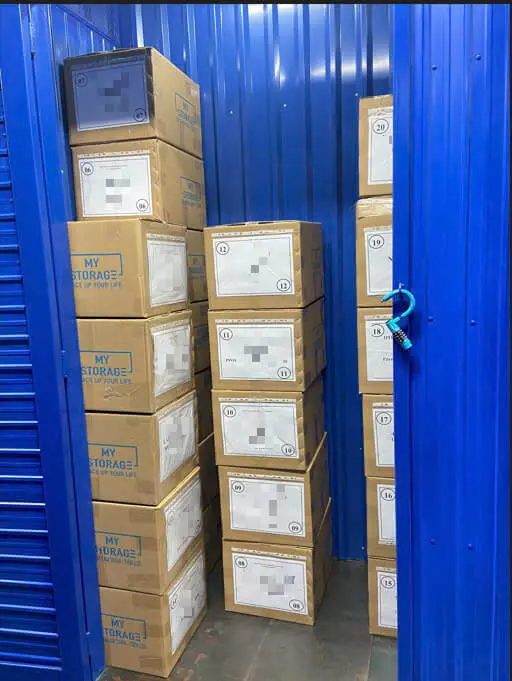
    Lưu trữ hồ sơ tài liệu an toàn - MyStorage

    Cloud-based storage puts your document management on external servers that you access through web browsers. You can set it up quickly without buying lots of equipment. Instead of paying everything upfront, you’ll usually have monthly fees based on how many users you have and how much storage you need.

    Cloud storage really shines when it comes to growing your system—you can adjust your resources with just a few clicks. Cloud services also keep your data backed up in different locations, which gives you better protection if something goes wrong.

    The biggest drawback is that you need internet access—no connection means no documents. There’s another reason some organizations hesitate: they worry about letting others store their data.

    Many businesses get the best results with a hybrid approach. They keep sensitive or frequently used documents on-site while storing archives and shared files in the cloud. This gives them flexibility while they retain control of their important information.

    Lưu trữ đám mây là gì? Những tiện ích mà lưu trữ đám mây mang lại

    Planning for access and retrieval

    The way you organize your storage system determines how quickly people can find and use documents.

    Here’s what to consider when designing your system:

    • Choose between centralized and decentralized storage structures. A central repository makes organization, search, and security simpler but can create bottlenecks. Decentralized systems offer flexibility but make document management more complex.
    • Create logical folder structures and naming conventions that make sense to your organization. This helps people find documents easily as your system grows.

    Good planning prevents workers from wasting the typical 18 minutes looking for a single document. Cloud solutions are great here, especially when you have features like live updates across devices and remote access.

    Environmental controls for physical storage

    Physical archived documents need specific conditions to stay preserved. A well-controlled environment slows down damage that builds up over time.

    Temperature and humidity are crucial. Paper records do best at temperatures between 18-22°C (65-72°F) with relative humidity between 40-55%. Magnetic media needs long-term storage below 18°C and 40% relative humidity, while very long-term storage needs even lower levels.

    Air quality plays a big role in preserving documents. Storage areas must stay clean, dust-free, and have filtered air. Good ventilation stops harmful compounds like nitrogen oxide, ozone, formaldehyde, and sulfur dioxide from building up.

    Light exposure makes media deteriorate faster, mainly because of ultraviolet rays. You should either use lights without UV or filter it out, and keep overall light levels low.

    Organizations track these conditions using various tools, from basic humidity strips and thermometers to advanced data loggers that constantly record environmental measurements.

    A well-planned system that covers these three areas will protect your organization’s important information and keep it accessible when needed.

    Meeting Legal and Compliance Requirements

    Legal compliance serves as the life-blood of any successful document storage system. Your organization could face hefty penalties and legal exposure if regulatory requirements don’t get proper attention, even with sophisticated storage solutions.

    Retention schedules and audit readiness

    A records retention schedule works as the life-blood of a functional document management program. Your organization’s legal and compliance recordkeeping requirements define how long documents need to stay—no more, no less. Companies can boost resource use, manage document growth, and lower litigation risks by implementing a complete retention schedule.

    Setting the right retention periods needs careful analysis of industry-specific regulations. While no single retention rule fits all records, most business documents must follow requirements from several federal agencies. These requirements state:

    • Tax documents (3-7 years)
    • Employment records (typically 4-7 years)
    • Financial statements (minimum 7 years)
    • Entity formation documents (permanently)

    Organizations in eight U.S. states can follow the Uniform Preservation of Private Business Records Act (UPPBRA) for records without specific legislation. UPPBRA suggests keeping records for at least three years.

    Audit readiness goes beyond just storing documents—you need to keep them in a state that shows ongoing compliance. An audit-ready document system has standardized naming rules, detailed access logs, and regular reviews. Version control and permission settings help manage document lifecycles well and alleviate non-compliance risks.

    Data privacy and access logs

    Data privacy rules add another layer of complexity to document storage in today’s regulatory world. We focused mainly on understanding data types, storage locations, and the consequences of mishandling.

    GDPR can hit businesses with fines up to 4% of annual global turnover or €20 million (whichever is higher) for non-compliance. Understanding and using proper privacy controls isn’t just good practice—it helps preserve your finances.

    Access logs are vital in demonstrating compliance with privacy regulations. A good audit trail for document sharing should track:

    • User identity (who accessed the document)
    • Document identification (what was accessed)
    • Precise timestamp (when access occurred)
    • Actions performed (view, download, print)
    • Access status (successful or failed)

    Yes, it is true that GDPR’s Accountability principle demands proof of compliance, not just compliance itself. Regular email or simple cloud storage don’t provide enough logging details. This makes specialized document management systems crucial for organizations that handle sensitive information.

    Kho tự quản, cho thuê kho mini - MyStorage

    Relevant local and international standards

    International standards provide frameworks for compliant document management. For instance, ISO 15489 sets minimum requirements for keeping documents authentic, intact, and readable. ISO/TS 18759:2022 details functional requirements for storage systems that protect electronic information throughout its lifecycle.

    Document management is at the heart of many ISO standards, including ISO 9001 (quality management) and ISO 14001 (environmental management). Furthermore, it focuses on information security management through ISO 27001, ensuring proper protection for confidential records.

    Industry-specific regulations like HIPAA (healthcare), SOX (financial), and GDPR (data protection) impose their own document management rules beyond ISO frameworks. Whatever the industry, these standards champion continuous improvement through regular reviews and updates that align with amendments or organizational changes.

    Organizations using document storage systems must consider both physical and digital compliance. Physical archived documents need secure facilities with limited access, while digital document systems need robust features like automated retention schedules, complete audit trails, and strict access controls.

    Organizations can reshape the scene by tackling these legal and compliance requirements systematically. What looks like red tape can become a strategic advantage that reduces risks and improves operations.

    Essential Equipment and Tools You’ll Need

    You need the right equipment and tools to set up a functional document storage system. The right physical and digital components create the foundation of a lasting document management system.

    Shelving, boxes, and labeling systems

    A resilient physical storage system protects your archived documents from damage while keeping them accessible. Standard open shelving works well for active documents and gives quick access at about $150-$400 per unit. Mobile shelving systems can boost storage capacity by 50% by eliminating fixed aisles, though they cost $1,000-$1,500 per unit.

    Archival-quality storage boxes are great for long-term protection against environmental threats. These acid-free containers stop paper documents from yellowing and breaking down. Prices range from $3-$20 based on size and quality. Metal cabinets provide better protection against fire and water damage but cost more, at $300-$800 per unit.

    A good labeling system helps you find documents quickly. Barcode systems make it easy to identify and track items, with setup costs between $500-$3,000 depending on the scale. Color-coding creates visual cues that cut retrieval time by up to 40%. Clear naming rules help staff find documents even as team members change.

    Space planning matters before you set up physical storage. Office space costs between $15-$50 per square foot annually, which makes economical storage systems a worthwhile investment.

    Document scanners and OCR tools

    You’ll need specialized equipment to turn physical documents into digital files. Simple desktop scanners ($200-$500) handle the basics at 15-30 pages per minute. Departmental scanners ($1,000-$3,000) work faster at 45-60 pages per minute and can hold 50-100 sheets. Production scanners ($5,000-$30,000) process 100+ pages per minute with better paper handling.

    Optical Character Recognition (OCR) turns scanned images into searchable text. Simple OCR software is 85-95% accurate with standard documents. Advanced solutions reach 98%+ accuracy using machine learning that gets better over time. Single OCR licenses cost $100-$500, but most modern document systems include OCR.

    Here are the key scanner features to assess:

    • Duplex scanning (simultaneous two-sided processing)
    • Resolution capabilities (300-600 DPI is sufficient for document storage)
    • Paper handling (very important for different document sizes and conditions)
    • Connectivity options (USB, network, wireless)

    Your scanner choice should align with your document volume and type. Desktop models work well for teams handling under 500 pages weekly. Organizations processing 1,000+ pages daily need production-level equipment.

    Document management software (DMS)

    Modern archived document systems need software that organizes, secures, and shares documents. Cloud DMS solutions cost $15-$50 per user monthly with little upfront cost. On-premises systems require an initial license of $5,000-$25,000 plus annual maintenance at 15-20%.

    A good DMS needs version control to prevent overwrites, access controls to limit document visibility, and audit trails to track usage. The system can also automate workflows and route documents through approvals, which saves 20-30% in processing time.

    The way DMS connects with other systems affects how well it works. Smooth connections to email, CRM, and ERP platforms prevent information silos from forming. Setup and customization usually cost 2-3 times more than the software itself.

    User adoption makes or breaks a DMS. Systems with accessible interfaces see 40-60% higher adoption rates than complex ones. The core team should test potential systems before buying to ensure they fit your needs.

    Your equipment choice should balance current budget limits against future benefits. Quality tools provide returns through better efficiency, fewer errors, and stronger compliance.

    Best Practices for Long-Term Maintenance

    Your document storage system needs proper maintenance just like its initial setup. Your archived documents need constant care to stay preserved and accessible over time.

    Routine inspections and pest control

    Document preservation depends on regular checks of the storage area. Dust creates one of the biggest risks to paper documents. Storage areas contain dust particles that are 80% long fibers from paper, cotton, and wool. These particles harm materials directly and raise moisture levels, which allows microorganisms to grow.

    Your documents and premises need careful inspection twice a year to control pests. Watch for signs like dead insects, larvae skins, cocoons, holes in document bindings, and brown, powder-like residue on shelves. The storage areas should be food-free. Windows need protective nets. Keep flowers out of storage rooms and clean the facility regularly.

    Fire safety and humidity control

    Paper records can catch fire easily, so complete fire protection is a must. Archives face high fire risks because they hold very dry and often irreplaceable materials. The best protection combines active systems that trigger with smoke/fire and passive systems that create physical barriers.

    The right temperature and humidity levels help documents last longer. Paper documents do best at 18-22°C (65-72°F) with 45-60% relative humidity. When these levels change, paper can dry out, curl, grow mold, or lose its color. You should install proper climate control equipment and check conditions regularly with hygrometers and thermometers.

    Regular backups and system updates

    Digital archives need consistent backups to protect against data loss, corruption, and unauthorized access. Start with a well-laid-out backup schedule. Back up critical data daily and use regular incremental backups for better efficiency. Cloud storage helps with access and redundancy since providers keep data in multiple places.

    Keep your backups offsite to protect against fires or floods. You can use cloud services or move backup media to secure locations away from your main site. Software solutions with automated scheduling and live backups reduce human error.

    Test your data recovery processes regularly, especially after system upgrades. This ensures everything works together properly. A complete maintenance plan with all these practices will protect your document storage system for years.

    Training Your Team for Success

    The best document storage system will fail if employees don’t receive proper training. People need constant attention to maintain consistent document handling practices, unlike hardware or software systems.

    Creating SOPs for document handling

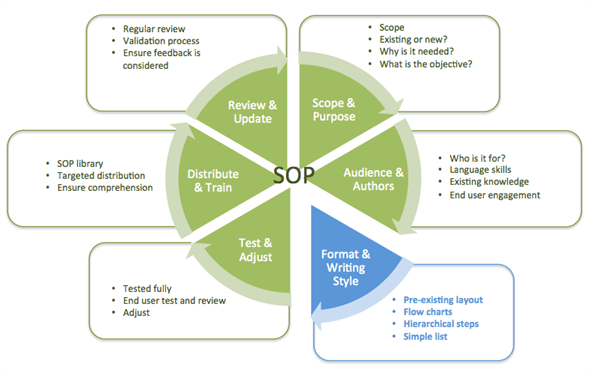
    Standard Operating Procedures (SOPs) give clear guidance to manage archived documents throughout their lifecycle. Good SOPs provide step-by-step instructions to create, store, retrieve, and dispose of documents. These procedures help maintain consistency between departments and reduce errors.

    Here’s what you need to develop document management SOPs:

    • Clear document control policies with specific guidelines for creation, storage, and sharing.
    • Detailed procedures to organize, retrieve, and manage documents.
    • Specific roles and responsibilities for each document lifecycle step.
    • Simple language and visual aids that illustrate complex procedures.

    Your SOPs need regular updates to reflect system changes and new regulatory requirements. This helps maintain compliance and makes operations more efficient.

    User roles and permission levels

    The right access controls protect sensitive information while enabling necessary collaboration. Document management systems typically support several permission types:

    • Administrators control the entire system. They manage categories and give permissions to other users.
    • Category managers oversee specific document categories.
    • Viewers can only see documents and complete assigned training in their authorized categories.

    Large organizations benefit from role-based permissions that control who can create, read, edit, or delete specific documents. This approach reduces security risks. Team members get exactly the access they need.

    Ongoing training and support

    The original training starts your document management education strategy. Your team needs continuous learning opportunities through refresher courses, advanced sessions, and updates about new features to use the system well.

    Good training helps teams work better as they learn to use advanced features like metadata tagging and automated workflows. Teams with proper training make fewer mistakes. They don’t misplace documents or overwrite important versions.

    Introducing Professional Document Storage Services at MyStorage

    Are you facing the challenges mentioned in this article – shrinking office space, concerns about document security, and the pressure to comply with storage regulations? MyStorage offers a professional, secure, and flexible document storage solution to help your business completely solve these problems.

    At MyStorage, we understand that your archived documents are more than just paper. They are intellectual property, legal records, and the operational history of your company. That’s why we provide:

    • Maximum Security: Our facilities are equipped with 24/7 surveillance cameras, a personal PIN code access control system, and on-site security staff, ensuring only you can access your documents.
    • Controlled Environment: Our storage units are always clean, dry, and climate-controlled, protecting your important documents from harmful factors like humidity, mold, and pests.
    • Flexibility and Savings: We offer various unit sizes to fit every need, from a few boxes of documents to an entire corporate archive. You only pay for the space you use, optimizing costs compared to expensive office rent.
    • Convenience: Easily access your storage unit whenever you need to. MyStorage helps you free up valuable office space to focus on your core business activities.

    Let MyStorage become your trusted partner in managing your archived documents. Contact us today for a consultation on the best storage solution for your business and to receive a special quote!

    Conclusion

    A successful document storage system needs detailed planning and careful execution. This piece explores how proper document storage does more than just filing papers away. Smart document management works as a strategic business asset that protects organizations from compliance problems and boosts operational efficiency.

    Financial matters play a key role in storage decisions. The right system cuts costs by reducing search time, preventing document loss, and making the best use of office space. On top of that, it helps you choose between on-premises, cloud-based, or hybrid storage options that affect your initial investment and running costs.

    Your physical documents need special care through environmental controls. Temperature, humidity, light exposure, and air quality greatly affect document life. Digital storage needs regular backups, system updates, and resilient security measures to keep your information safe.

    Every serious document management strategy must follow legal rules. Your retention schedules should match relevant regulations. Access controls and detailed audit trails show your dedication to data privacy standards.

    Quality equipment and tools build your system’s foundation. Good shelving, proper storage boxes, reliable scanners, and powerful management software create the framework you need to succeed. All the same, even the best system fails without proper staff oversight.

    Staff training deserves as much focus as technical setup. Clear procedures, defined user roles, and regular education help maintain consistent document handling across your organization.

    Document storage might look daunting at first, but a step-by-step approach makes it simple. Start with your specific needs, create good policies, pick the right tools, and train your team well. Your investment will pay off through better security, compliance, and efficiency over the next several years.
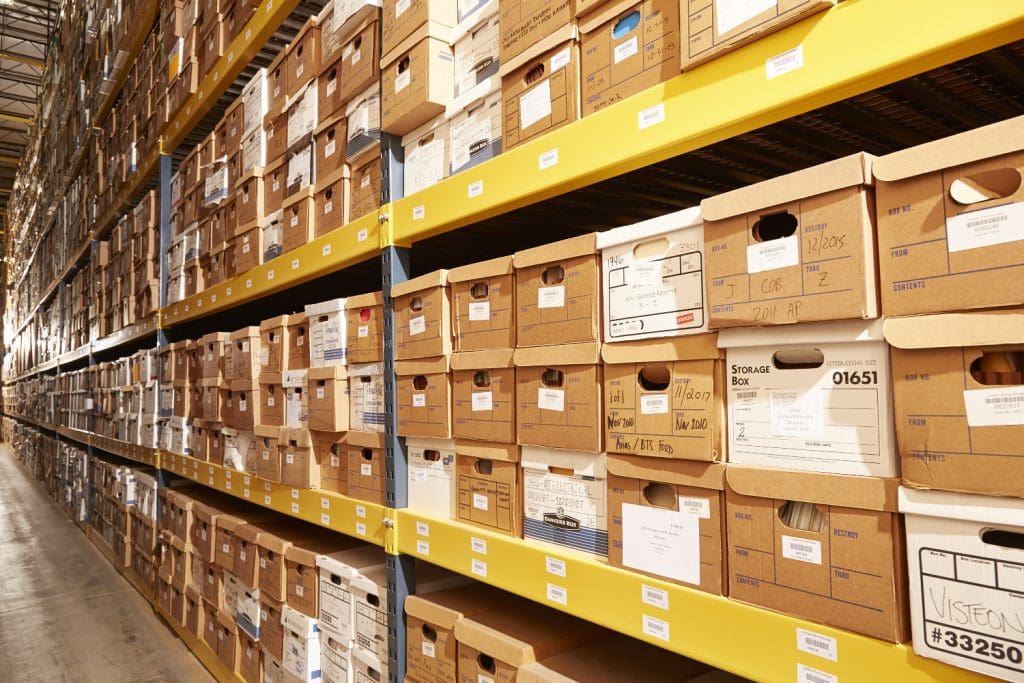
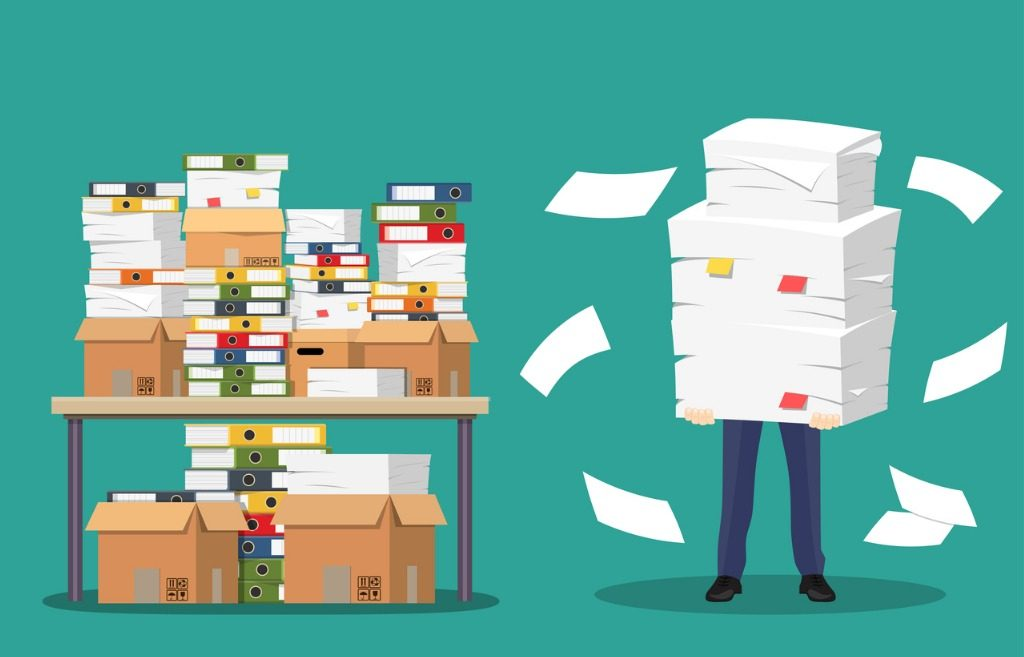
  • How to Store Documents Like a Pro: Expert Guide to Document Management and Effective Document Storage

    How to Store Documents Like a Pro: Expert Guide to Document Management and Effective Document Storage

    How to Store Documents Like a Pro: Expert Guide to Document Management and Effective Document Storage

    Did you know businesses need an extra 20-50 square meters of space each year just for paper document storage? Space requirements are just one of many challenges companies face with file management. Document retention periods last at least 5 years, impacting your strategy. Some records need permanent storage. This makes document preservation crucial to business operations. On top of that, proper document classification helps you find and maintain files quickly.

    Your documents need special care. Physical papers require specific temperature (20±2°C) and humidity (50±5%) conditions. Digital systems need OCR search features. Effective document management goes beyond basic filing. Industry standards like ISO 15489 can help your system match international best practices.

    In this piece, we’ll show you everything you need to know about creating and maintaining an efficient way to store documents. We’ll share practical tips to help you organize physical spaces and set up secure digital solutions. These tips will help turn your document chaos into an available resource that works smoothly.

    Identify Your Document Management Goals

    Your document management system needs clear objectives as the first vital step to manage information well. Office workers waste nearly five hours every week looking for digital documents, which adds up to 28 days per year according to a 2012 IDC study. These numbers express why you need specific goals for your document storage strategy before you set up any system.

    Identify Your Document Management Goals

    You should define what you want to achieve with your document management approach before exploring storage solutions or software. Projects often fail when organizations implement tools and processes without clear objectives that address their specific challenges.

    Reduce clutter and improve access

    Digital clutter can hurt productivity just like physical clutter. Employees feel more stressed and anxious when they see constant reminders of disorganization. This disorganization also cuts into your profits through wasted time and reduced efficiency.

    Think about these specific document management goals to curb these problems:

    • Decrease search time: Want to cut document retrieval time by a specific percentage (e.g., 30%) through consistent folder structures and naming conventions.
    • Streamline workflows: Create an automated document retrieval system that optimizes efficiency within a defined timeframe (e.g., two months).
    • Improve mental well-being: Clean digital workspaces reduce cognitive overload. Employees can focus on important tasks instead of getting distracted by digital chaos. “Being specific is important,” notes one expert document management guide. “Are you trying to help users find documents more quickly? Save on document storage costs? Improve collaboration? Re-engineer manual processes?”.1 Your answers to these questions will shape how you approach document classification. A logical folder structure makes it much easier for employees to file and locate documents. They feel less stressed and frustrated while gaining control over their work environment.

    How to Store Documents Like a Pro: Expert Guide to Document Management and Effective Document Storage

    Ensure compliance and security

    Document management does more than boost efficiency – it protects and ensures compliance. Many industries must follow strict regulations about data retention and disposal. Laws like HIPAA, FACTA, and GDPR require businesses to dispose of records securely after certain periods.

    Your document preservation goals should cover:

    • Regulatory compliance: Follow industry standards, legislation, and data privacy regulations through proper documentation.
    • Risk management: Set up security measures and controls to find, interpret, and prepare for potential data breaches.
    • Audit readiness: Keep detailed records of information security policies, access controls, and risk assessments to show compliance during audits. Many organizations see documentation as “a necessary evil that soaks up time and resources without offering apparent value”. Good document management turns documentation into a strategic asset that builds operational excellence and organizational resilience. A resilient security infrastructure based on well-documented protocols helps protect your information’s confidentiality, integrity, and availability. Clear disaster recovery procedures help restore operations after cyberattacks or system failures, which reduces recovery time and minimizes lost revenue. You should determine the metrics and key performance indicators (KPIs) to measure progress before implementing any document management solution. Set a baseline to compare against your current system. You might find that processing an invoice takes 10 minutes with your current system but only two minutes with digital document management. Clear objectives from the start create a roadmap that arranges your document management strategy with your organization’s broader business goals. This approach changes what could be a tedious administrative task into a powerful business advantage.

    Hướng dẫn chi tiết về quy trình quản lý tài liệu tại doanh nghiệp - DocEye

    Audit and Categorize Existing Documents

    Your document management goals set the stage for the next big step – a full picture of your existing documents. This inventory reveals the gap between what you have and what you believe you have, laying the groundwork for a system that works.

    Audit and Categorize Existing Documents

    Document auditing goes beyond simple file counting. Organizations need to grasp their information’s types, formats, and value. Research shows enterprises now face “a veritable flood of data” and need automated document categorization to handle it properly. Document classification stands as “one of the most important steps in data analysis” as daily data generation keeps growing.

    Group by type, date, or department

    Document classification helps manage large file volumes with logic and consistency. Here are some proven methods to group your existing documents:

    • Content-based categorization: Subject or topic-based categories (marketing materials, research papers, technical documentation).
    • Characteristic-based categorization: Format, metadata, or attribute-based organization (confidentiality level, file type).
    • Purpose-based categorization: Categories based on document use (training manuals, compliance documents). Your industry and organization’s structure determine the best approach. Legal teams often prefer case-based grouping, while marketing departments lean toward campaign-based organization. Date-based categorization needs careful planning. File Explorer offers basic options. Advanced document management systems provide better flexibility with exact dates, relative dates, month/year groupings, and year-only options. This flexibility helps handle time-sensitive documents and track creation across different periods. Department-based categories align with your organization’s structure. Teams can control access and simplify their workflow this way. Expert sources suggest you can “use cloud workspaces and portals to categorize documents by department or project, making it easier to manage permissions and cooperate on files”.

    3 Tips for Better On-Site Document Storage - Papersavers Ltd

    Document classification by retention period

    Document retention periods form a crucial part of categorization. Vietnamese regulations specify varying retention times based on document types and importance.

    Circular 10/2022/TT-BNV, effective February 15, 2023, defines retention periods as “the necessary timeframe to store files and documents, calculated from the year when work is completed”. This new regulation updates the 2011 guidance with several key changes.

    Vietnamese law splits documents into two retention categories: Permanent retention documents and Time-limited retention documents. Clear subcategories help manage specific timeframes. For example, corporate finance documents like accounts payable need 7-year retention, while annual financial statements require permanent document storage.

    Vietnamese regulations now specify updated retention periods for planning correspondence, staff development files, and procurement files.

    Good categorization boosts operational efficiency and ensures compliance. Document management experts emphasize that “The quality of the tagged dataset is the most important component” of classification systems. Time spent on thorough auditing and categorization leads to better access and regulatory compliance throughout your document’s life.

    Choose Between Physical and Digital Storage

    Your document management strategy depends on choosing between physical and digital options. After you audit and sort your documents, you’ll need a document storage solution that works best for your needs.

    Choose Between Physical and Digital Storage

    Pros and cons of each method

    Traditional paper filing systems still matter in today’s digital age. Digital options are popular now, but physical document storage has its own strengths:

    Physical Storage Advantages:

    • Offers concrete security without cyber threat risks.
    • Works without technology.
    • Keeps historical documents authentic and authoritative.
    • Meets legal requirements for “wet ink” signatures in certain industries. In spite of that, physical storage has major drawbacks. Paper documents take up space—businesses typically use 20-50 square meters each year just for this purpose. Paper files can also get damaged by natural disasters, environmental factors, or stolen. Digital document storage has changed how organizations handle information through electronic systems. Here are its main benefits: Digital Storage Advantages:
    • Quick and easy document retrieval through metadata tagging and search.
    • Access from anywhere with internet, which helps remote work.
    • Saves physical space, so businesses can use office space differently.
    • Better security with encryption, backups, and access controls.
    • Helps the environment by using less paper. Digital solutions aren’t perfect though. These systems rely heavily on technology, which means they can face connection problems, hardware issues, and data breaches. You also need regular updates to keep the system current. “When comparing physical document storage to digital options, it’s clear that digital document storage offers numerous advantages over its traditional counterpart,” according to an industry report. The right choice comes down to what your organization and documents need.

    4 Features of a secure document storage facility - Access Records Management

    When to use hybrid storage

    Many organizations get the best results by combining both methods into a hybrid approach. Document storage management experts say, “Both physical and digital archiving are essential in the archival world and best support the functions of museums, libraries, businesses, and historical societies when they are deployed together”.

    Hybrid storage works best when:

    • Legal compliance requires original documents.
    • Document types have varying requirements.
    • Budget constraints limit full digitization. One expert points out, “Digitizing all your documents in one go could result in a large capital outlay. This is where hybrid records management can help”.
    • Transition periods require dual systems. “Scan-on-demand” has become a popular hybrid approach. This method “starts by physically archiving the documents, organizing, and storing them in a dedicated space… Then, whenever a document is needed, that document is digitized and stored electronically for future use”. Circular 10/2022/TT-BNV acknowledges this hybrid reality, noting that “Non-electronic records will co-exist with electronic records for some time”. Your organization’s document management goals and preservation requirements should guide your choice between physical, digital, or hybrid document storage. Think about security needs, access priorities, budget limits, and compliance rules before deciding.

    Set Up a Digital Document Management System

    The right document management system (DMS) becomes your next crucial step after deciding to implement digital document storage. A well-configured DMS will revolutionize your organization’s information handling process. It creates efficient workflows and keeps documents secure.

    Select a cloud-based or on-premise solution

    Your specific needs will determine which of the two primary DMS deployment options works best:

    Cloud-based DMS keeps your documents on remote servers that you access through the internet. This option offers several benefits: lower initial costs, documents available anywhere, provider handles updates, and scalable storage.

    “Cloud services are always up-to-date and updated automatically providing always the most modern and the most secure experience with the least amount of maintenance effort,”2 notes one industry expert.

    On-premise DMS requires software installation on your servers and infrastructure. This option lets you control your data completely, access documents without internet dependency, meet industry-specific regulations, and manage updates on your schedule.

    Organizations with strict regulatory requirements often choose on-premise solutions. “Compliance regulations may mandate that certain information be stored and encrypted on-premises”.

    A third option combines both approaches—hybrid deployment. This “offers the best of both worlds” by providing control and compliance on-premises, with flexible user experience through cloud-based applications.

    Key features to look for: OCR, versioning, access control

    Your DMS evaluation should focus on these essential features beyond the deployment type:

    OCR (Optical Character Recognition) turns scanned documents into searchable, editable text. This technology helps you search digitized paper documents, sort and categorize automatically, work with multiple languages, and find information quickly.

    Version control keeps track of document changes, which teams need for collaboration. It saves new versions, keeps a detailed history, shows differences, and lets you revert to earlier versions.

    “Document version control lets you do the same across multiple drafts of the same document,” explains one expert source. It “prevents accidental use of old drafts, overwriting changes made by others, and reducing the potential for conflicting information”.

    Access control protects documents through permission management. This feature helps you give access to authorized users only, set different permission levels, track activities, and meet regulatory requirements.

    “Access controls determine who can access specific documents and what actions they can perform. This helps prevent unauthorized individuals from gaining access to sensitive information and reduces the risk of data breaches or leaks”.3

    Document preservation success depends on picking a DMS that fits your organization’s needs. The right system should support your document classification goals and provide security, accessibility, and compliance, whether you choose cloud, on-premise, or hybrid solutions for your document storage.

    Nguyên tắc và yêu cầu khi xây dựng hệ thống quản lý tài liệu điện tử

    Organize Files for Easy Retrieval

    A good file organization system is the foundation of successful document storage. Employees waste almost five hours every week looking for documents. This adds up to 28 days lost each year due to slow file retrieval. Let’s look at ways to find your files in seconds instead of minutes.

    Use consistent naming conventions

    File naming conventions are like DNA for document classification. The best approach is setting clear rules before you start collecting files. This prevents disorganized content that leads to lost data.

    A well-laid-out naming approach could follow this format: [YYYY-MM-DD]_[Department]_[Document title]_[Version]. This shows key information at a glance. The ISO date format (YYYY-MM-DD) is excellent as it sorts files by date automatically.

    Add leading zeros for numbers 0-9 for proper numeric order. Common words like “draft” or “letter” shouldn’t start filenames as they group documents similarly rather than by specific content.

    Create a logical folder structure

    The best naming rules still need a sensible folder structure. Your hierarchy should begin with broad categories up top and get more specific in each subfolder.

    Your structure could group files by: Department, Project, Document type, or Time period. The folder structure should match how you and your team work.

    Avoid complex structures; users shouldn’t click more than three or four times. The same approach should be used across your organization to avoid confusion and lost documents.

    Tagging and metadata usage

    Metadata changes how you discover documents beyond folders and filenames. It acts as “data about data,” adding context through tags, keywords, and descriptions. This makes files searchable in many ways.

    Modern systems let you add custom index fields to documents, creating searchable attributes beyond names. Users can search these fields whatever folder the files are in. For instance, invoice tags might include: customer name, payment status, purchase date, and amount.

    Your repository becomes a quick search engine. Many systems can tag metadata automatically based on folder rules, significantly cutting down manual work.

    Document preservation relies on smart organization, not just storage location. Good naming, logical structures, and reliable metadata transform chaotic document management into a smooth system. This saves countless hours and ensures everything important stays found.

    Protect and Preserve Your Documents

    Document preservation needs more than just storage—it requires setting up resilient protection measures. Studies show that businesses without proper backup systems have a 93% chance of filing for bankruptcy within one year. Setting up detailed document protection strategies will safeguard both physical and digital archives.

    Document preservation using technology

    Modern document preservation relies heavily on technology. Vietnamese regulations (Circular 10/2022/TT-BNV) require electronic documents to be “stored safely and converted using appropriate technology”. Regular inspections and backups must happen to keep data intact and accessible.

    Modern preservation technologies go way beyond simple digital methods. You can choose from scanning to microfilm and magnetic storage. Planning matters when using these technologies. Archival guidance states: “Digitization should be an ongoing part of a paper collection’s preservation plan”.

    Start by converting your important physical documents to digital formats through high-quality scanning. Store these digital files in systems that support long-term preservation. Your remaining physical documents need the right environment—usually 20±2°C with 50±5% relative humidity.

    Use backups and redundancy

    Reliable backups protect you best against catastrophic data loss. A common industry standard is the 3-2-1 rule: keep three copies of your data on two different media types with one copy stored offsite.

    A better approach—the 3-2-1-1-0 strategy—adds two key elements: one copy stays offline (air-gapped) and zero errors through regular testing. This detailed strategy shields against both digital threats and physical disasters.

    Your backup strategy should include types like: Full backups, Incremental backups, Differential backups, and Snapshot backups.

    Redundancy is different from backups. Backups create separate copies to restore, while redundancy gives you multiple active instances of data. Both work together for a detailed protection plan.

    Monitor for data corruption or loss

    Finding data corruption early is vital, even with backups in place. Data corruption often stays hidden until it causes big problems. Early detection can stop major data loss.

    Put these monitoring practices in place:

    • Use checksums and cyclic redundancy checks (CRC) to verify file integrity.
    • Run regular automated scans to find corrupted files.
    • Use error-checking protocols during data transmission and storage. Continuous data protection (CDP) captures every change immediately for critical files, letting you restore to any point in time. Your documents stay safe during transfer and storage through encryption, stopping unauthorized access. Quality storage systems with proper write cache protection and direct I/O capabilities reduce corruption risks significantly. Check your storage media regularly for signs of wear.

    Train Your Team on Best Practices

    Document management systems won’t work without proper team training, no matter how sophisticated they are. Organizations that skimp on training see more errors and their teams use document management practices much less. Your team needs standardized practices to make the document storage system work properly.

    Create SOPs for document handling

    Standard Operating Procedures (SOPs) are the life-blood of consistent document management. The FDA frequently cites poor SOPs as a major cause of compliance problems. A well-written SOP will give a clear direction that helps avoid mistakes—something crucial for staying compliant.

    An effective document handling SOP has: Purpose and scope statements, Clear roles and responsibilities, Step-by-step procedures, and Version history.

    The core document management processes need standardization—organization, tracking, document storage, and reviewing. Detailed procedures must line up with your organization’s specific workflow for each area.

    A complete guide to the SOP lifecycle - Format and Writing style

    Assign document owners

    Document ownership boosts accountability and makes shared communication better between departments. A transparent system emerges when specific documents have clear owners. Everyone knows who updates and maintains critical information.

    Document ownership can work automatically through functional roles, manually for specific documents, or through collaborative models. Document management software helps owners keep documents accurate, notifying them when it’s time to review.

    Encourage regular audits

    Regular audits turn document management from just compliance into a competitive edge. System effectiveness reviews help spot improvements while meeting regulatory requirements.

    Documentation audits are valuable beyond compliance—they streamline later processes and prevent duplicate work. Creating documentation right when events happen captures accurate and complete information for internal teams and external auditors.

    Team training should happen regularly, not just once. A knowledge base that’s always available helps answer questions. Regular refresher courses keep everyone sharp.

    Review and Improve Your System Regularly

    A document management system needs regular evaluation to work properly. Studies show that strong DMS help companies become more agile and efficient by cutting down procedural steps. Here’s how you can keep your system running at its best.

    Track usage and access logs

    DMS keeps detailed records of all document activities: who accessed, edited, or shared documents. These logs help give business insights, support forensic analysis, and detect security breaches by monitoring unusual behavior.

    Regular log analysis works better than just storing them. This approach helps identify patterns and red flags before security incidents happen. Most systems generate usage logs in W3C extended format.

    Update software and security

    Old systems create major security risks. The DMS software needs regular updates to get the latest security patches and features. This simple step protects documents from newly found vulnerabilities and attacks.

    Delaying system updates can lead to serious problems. Many companies put off updates because they worry about costs or disruption. But skipping updates means missing out on improvements and leaving systems open to cyberattacks.

    Adapt to organizational changes

    Your document storage system should grow with your organization. Good document management software blends with other tools so document preservation practices work well with other business functions.

    Regular security audits help replace old processes with new ones. This approach keeps up with new security threats and ensures documents stay safe. Document classification should adapt to company growth and new compliance needs.

    Conclusion

    Effective Document Management: Your Path to Organizational Success

    In this piece, we’ve looked at the key parts of professional document management. Good document storage needs more than just filing papers away—you need a strategic approach that lines up with your organization’s goals.

    Your specific document management goals are the foundations for everything that follows. Clear objectives help you decide between physical and digital solutions, system requirements, and how to structure your organization.

    Document classification is a crucial part of this process. Systems won’t work efficiently without systematic categorization. You need a full picture of your documents before you can organize them properly.

    Choosing between physical and digital document storage is one of the most important decisions you’ll make. Digital systems offer great advantages for searching and access. Some industries still need physical document preservation due to regulations. A hybrid approach often works best.

    Without doubt, logical folder structures and consistent naming conventions can change messy collections into available resources. Strong metadata practices let users quickly find what they need. This saves those 28 days per year that people usually waste searching for documents.

    Your strategy to protect documents should include regular backups, redundancy measures, and consistent monitoring. Poor protection can destroy a business—93% of companies that face major data loss go bankrupt within a year.

    Technical systems are just as important as team training. Standard operating procedures, clear ownership assignments, and regular audits help make document management part of your organization’s culture.

    Note that document management is an ongoing process, not a one-time project. Your system should grow with your organization and adapt to new requirements and technologies while you retain control and accessibility.

    Good document management needs an initial investment in time and resources. The returns make it worth the effort—better efficiency, less risk, improved compliance, and reduced stress. These strategies can help turn document chaos into one of your organization’s best assets.

  • Small Warehouse Rental For Secure File – Document Storage

    Small Warehouse Rental For Secure File – Document Storage

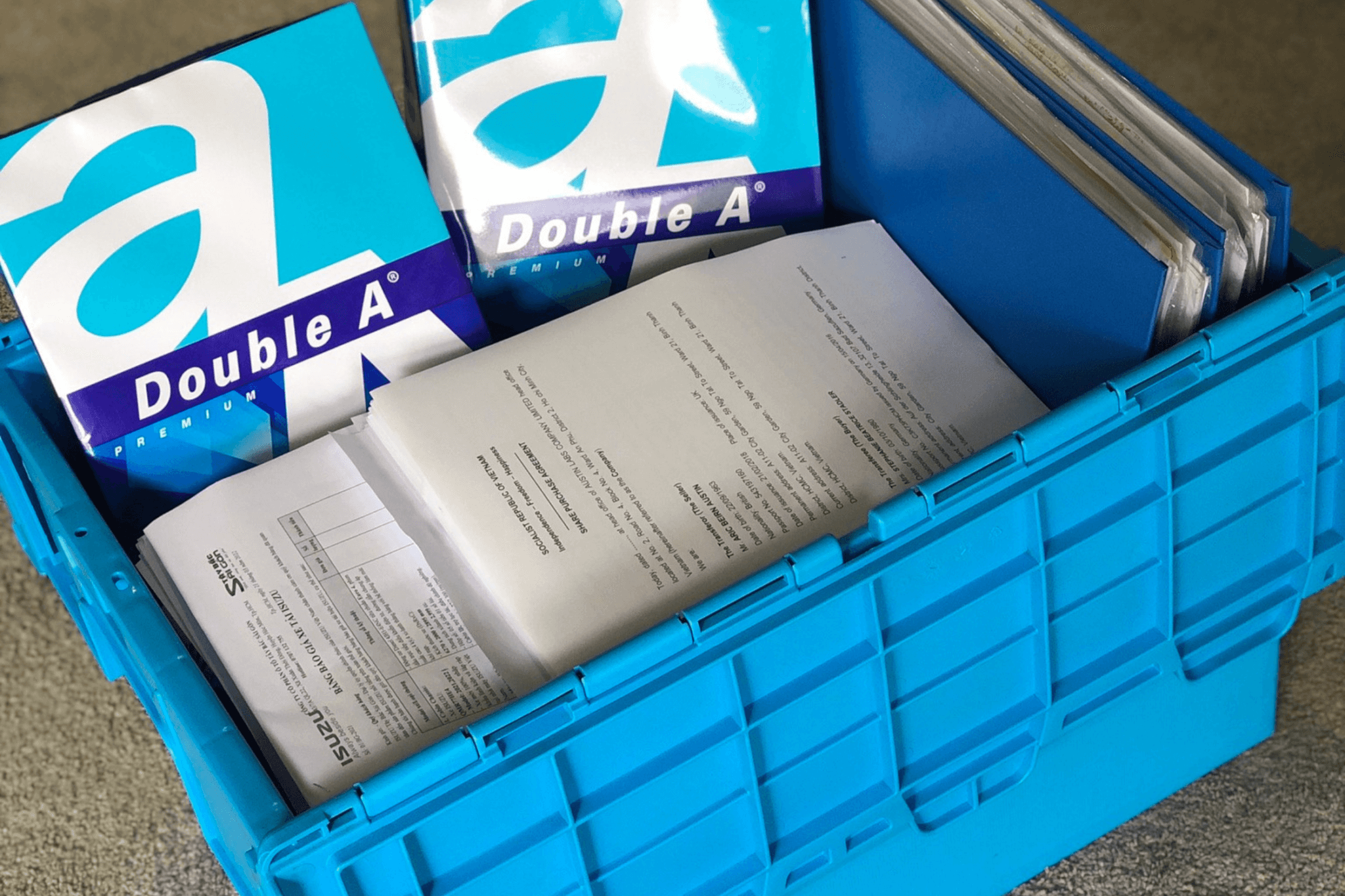
    In today’s digital age, the importance of preserving physical document storage often gets overlooked. However, businesses and individuals rely on hard copies for legal, financial, and historical records. Ensuring these documents are stored securely and efficiently is crucial—and this is where small warehouses come into play. A small warehouse offers a cost-effective, organized, and secure solution tailored for document storage. Let’s explore the key benefits of using a small warehouse for your important records.

    ChatGPT đã nói:

    Why Businesses Need Paper Document Storage

    At MyStorage, we understand that many businesses in Vietnam still rely on paper records that require secure, long-term storage. From tax forms to project contracts, these documents are vital and often legally required to be preserved for years.

    1. Legal and Compliance Needs: Vietnamese law requires companies to retain invoices and records for at least 5 years, and in some cases, permanently. Organized, secure document storage ensures compliance and easy retrieval when audited or inspected by authorities.
    2. Long-Term and Sensitive Storage: Industries like healthcare, construction, and design generate large volumes of paper that must be preserved for many years. Hospitals must keep medical records confidential for 10 years or more, while construction firms and studios need space for blueprints, contracts, and permits. Professional storage facilities offer climate control and security systems to protect these sensitive files.
    3. Small Business and Seasonal Needs: Small offices, law firms, and accounting agencies often face storage shortages. Renting a small storage unit is a cost-effective way to manage archived files, especially for seasonal businesses that don’t need daily access but must keep their documents safe.
    4. Companies Closing or Relocating: When businesses cease operations or move offices, they still need to store unresolved documents safely until they’re cleared or legally disposable. Secure offsite storage provides a simple, compliant solution for these transitions.

    MyStorage provides flexible document storage options for both short- and long-term needs, helping businesse storages stay compliant, organized, and clutter-free.

    Benefits of Using a Small Warehouse for Secure Document Storage

    Storage Warehouse Sizes for Secure Document Storage

    When choosing a warehouse for document storage, selecting the right size helps balance cost, accessibility, and capacity. Here’s a quick guide to common warehouse sizes suitable for secure document storage:

    1. Small Storage Units (1–5 m²)

    These locker rooms are ideal for startups, freelancers, or small offices storing up to a few hundred document boxes.

    • Capacity: ~100–400 standard document boxes
    • Best for: Legal papers, invoices, contracts, and archives

    2. Medium Storage Units (5–15 m²)

    Perfect for growing businesses or departments with years of records.

    • Capacity: ~500–1,500 carton boxes or multiple filing cabinets
    • Best for: Clinics, construction firms, and accounting offices

    3. Large Storage Units (15–30 m²)

    Designed for enterprises managing extensive documentation or multiple branches.

    • Capacity: ~2,000–3,000 boxes of file folders, equipments, devices.
    • Best for: Hospitals, corporations, or companies with long-term compliance needs

    4. Extra-Large or Customized Warehouses (30 m² and above)

    Tailored for organizations with bulk storage requirements or sensitive archives.

    • Capacity: 3,000+ boxes, equipment, or digital backup hardware
    • Best for: Financial institutions, government agencies, or archival centers

    If your storage needs change seasonally or over time, opt for a scalable warehouse provider like MyStorage, which allows you to expand or downsize easily without relocating your documents.

    Why Choose MyStorage for Secure Document Storage

    Benefits of using a small warehouse for secure document storage.

    • Enhanced Security for Sensitive Information: Small warehouses offer advanced protection through 24/7 surveillance, access control systems, and alarm sensors to prevent theft or unauthorized access. These security layers ensure your confidential records remain safe at all times.
    • Climate-Controlled Environment for Preservation: Paper records easily degrade in poor conditions. Small warehouses maintain stable temperature and humidity, preventing mold, paper decay, and insect damage, helping your documents stay intact for years.
    • Cost-Effective Solution: Leasing a small warehouse is more affordable than expanding office space. It cuts costs on extra furniture, real estate, and climate control, making it ideal for businesses managing large volumes of records on limited budgets.
    • Efficient Organization and Easy Access: Custom shelving and labeling systems improve document organization and retrieval speed, reducing the chance of lost files and enhancing overall workflow efficiency.
    • Flexible and Scalable Storage: Small warehouses allow you to scale up or down easily as your document volume changes, avoiding the hassle of relocation. This flexibility suits both short-term and long-term needs.
    • Compliance with Legal Requirements: Many industries must store physical records for years. Small warehouses provide secure, fire-resistant, and compliant storage environments—complete with safe document destruction options when records expire.

    Why Businesses Need Paper Document Storage

    Why Choose MyStorage for Secure Document Storage?

    At MyStorage, we understand that your business records, contracts, and personal documents are too important to risk. That’s why we provide one of Ho Chi Minh City’s most trusted document storage services, combining security, convenience, and flexibility in one solution.

    Our small warehouses are designed for both businesses and individuals who value protection and accessibility. You can choose between shared storage or self-storage options—both offering:

    • Advanced Security Systems: 24/7 monitoring, fire prevention, and hazard protection to keep your records safe.

    • Climate-Controlled Environments: Constant temperature and humidity levels to prevent paper deterioration.

    • Carton Box Packaging: Durable, labeled boxes provided for easy organization and long-term preservation.

    • Door-to-Door Moving Service: Our professional team can pick up your documents and safely deliver them to the storage facility upon request.

    • Flexible Access: With self-storage, you’ll have your own keypad lock and 24/7 access to your storage room.

    • Secure Shredding Services: When records expire, we provide certified destruction and shredding to protect confidential information.

    Whether you’re a company managing sensitive client data or an individual archiving personal papers, MyStorage offers a professional, secure, and affordable document storage solution tailored to your needs.

    Using a small warehouse for secure document storage is an investment in peace of mind and efficiency. With benefits like enhanced security, climate control, cost savings, and scalability, it’s the perfect solution for managing your important records. Contact MyStorage today to learn how we can help you preserve and protect your documents for years to come.